
My Writing Process Series
- Intro
- Tools of the Trade
Howdy freeholders!
It’s time for the first official installment of my series of blog posts on my writing process.
Today were going to dive into the gear that I use for writing! Some people don’t even worry about this step and just jump right into brainstorming, but I have to represent all my gear buddies out there, and anyone else who wants to geek out over software, equipment, and tools.
Hey, I’m a woodworker and I like going out into the shop, so I like tools and as a writer, there are lots of tools at our disposal. Pretty much since the dawn of time, people have been telling stories, so I guess the first tool (ironically which is also the most powerful in my arsenal) is the human voice.
Dictation
For me, dictation is the best way to get words on paper in a hurry. That’s how I’m recording this blog post right now, pacing back and forth in my three season room, overlooking the quiet, sun-kissed morning here in the middle of August, as we experience freak temperatures — it is about 7:30 in the morning and it’s only 55º F. It’s definitely a cold snap, because it feels like October out there.
But I digress, which is easy to do when you’re dictating.
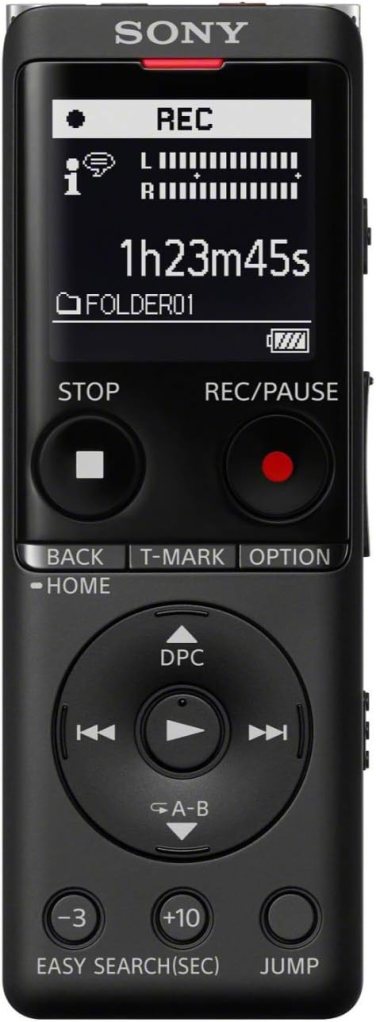
For writing purposes, for the last four years, I’ve primarily used a Sony voice recorder that allows me to save gigabytes worth of blog posts, chapter entries, and ideas on the go. It’s tiny, much smaller than my cell phone can fit my pocket, and I can dictate in any private spot, whether it’s my bedroom, my bathroom if the kids are being really loud, or my office, or like today, out on a three season room.
It’s also great for walking around outside. I can be in the backyard just walking laps, getting some exercise, and talking to myself. Since our yard is fairly secluded, I won’t likely be spotted by anyone and have the cops called on me for acting crazy, but do keep in mind that people will notice you walking around talking to yourself.
To get around this (yes, I’ve done this a few times in public) I installed an app on my phone which is simply a voice recorder, called, ironically, Voice Recorder Pro (I use an iPhone). Now I can put the phone to my ear and walk around as if I’m talking to someone on the other end and no one pays any attention.
Stealth dictating, it’s a thing.
Handwriting
The other tools of the trade include more traditional writing utensils. I don’t do this very often, but sometimes when it’s impossible to dictate, or if I find myself in a situation — or location — where a laptop or a tablet is either inappropriate or impossible for typing, I’ll bring a notebook and my favorite fountain pen.
A few times on vacations — when we’ve flown somewhere and I’ve decided taking a fountain pen was too risky on an airplane — I just bring a pencil, usually a mechanical pencil with plenty of lead, because I hate sharpening. The time it takes to stop your train of thought and go sharpen a pencil and come back usually causes me to lose whatever thought I was working on. Mechanical pencils just work better and they’re more efficient. Plus, you don’t have to bring sharpeners and extra pencils along if you’re on a trip and trying to pack light.
So, that takes care of dictation, pen/pencil and paper, and the cool part is once I’m finished writing something longhand in a notebook, I don’t have to go back and type it up — that voice recorder sitting there on my desk does it for me when it’s convenient. Several times when I’ve been on family vacations or at conferences where I can’t pull up my laptop, I’ll write conversations and scenes on paper and get the ideas safely written down. Then, when I have a moment of quiet, I can pull out my phone or my voice recorder, read what I wrote into the recording device of choice, and my dictation software — Dragon 15 — transcribes it for me and it’s ready to plug into the story.
Transcription
It may not be as fast the process of walking around, dictating from start to finish, but reading what I’ve written longhand is a way of moving the ball toward the end zone, and reaching that goal of finishing the book or story or blog post.
In the beginning of my career I was hung up on the goal, and if I didn’t reach said goal — a thousand words a day, or a chapter a day, or whatever — it ended up giving me a mental hang up about the next day. I felt like a failure and struggled to get the words out on paper, especially when coupled with an unhealthy dose of comparisonitis as I perused blogs and forum posts about authors writing a book a month and killing it in sales. [1]
Now that I’m a crusty old author with more than two score books under my belt (know how I know I’m crusty? Only crusty old writers and Abraham Lincoln say “two score”), I realized it’s not about attaining the goal every single day, it’s about making progress every single day.
What my favorite author said in one of his rules for writing applies today just as it did in the ’50s when he came up with the theorem: Write every day. [2]
You can choose to take that literally and write something every day or you can choose to think of it like I do and make progress every day. If I get 500 words down and managed to edit something — or cope with a blog post idea or tweak a character file — I’m going to consider that a good day.
The only failed writing day for me would be if I did absolutely nothing, ignored my work, and didn’t move toward finishing a book…at least a little.
That’s where Dragon 15.0 comes in. This incredible software takes my audio files and turns them into a first draft of a story, or post, or what have you. I automate it by having a folder on my desktop that I simply drop my audio files into and walk away. Dragon reads anything in that folder as something to be transcribed, then does so and spits out the text file into a folder in Dropbox.
From Dropbox, it’s just a quick click, click, click and the file is in my project in Scrivener, ready for editing.
I have a custom word file with all my character names, slang, etc., so that Dragon knows the difference between “y’all” and “ye hall” and as my vocabulary grows and changes, the software adapts. Once I trained it properly to listen to my voice, I’ve successfully achieved about a 95-98% accuracy with my transcriptions. That’s how I can write 6,000 words in an hour and be done with writing for the day. 30,000 words a week (M-F) and in a month you’ve got a 120,000 word book ready for editing!
Software and Hardware
The other tools of the trade our software and hardware. For taking notes, plotting, and sorting out when I need to do things, the applications available for the modern for today’s writers are simply mind-boggling.
Software
I used to keep track of all of my tasks, what book is being published where and when in a notebook. Yeah, I know. How old fashioned! I’ve since got with the times and use a combination of Google Sheets and Notion to track everything. My royalties, my promotions, even my BookBub attempts, all go into databases and spreadsheets, linked to each other in Notion so I have one spot to rule them all.


For taking notes, I use a combination of Obsidian, Bear, and Notion. I’ll dive more into those applications in detail in a bit. For writing, as I’ve already mentioned here and here, I use Scrivener almost exclusively.
This application, used on my laptop, phone, and iPad is simply indispensable to me as a writer. From organization to changing structure to formatting and publishing, Scrivener does it all — and I absolutely adore the software.

For formatting, however, I have fallen under the sway of a program called Vellum. This is Mac only, I’ll warn you right up front, but if you’re in the Apple ecosystem there is nothing better, end of story, full stop.
With the click of a button, I can apply a wide range of settings to my story, and every one of them will be in a similar, professional style. It bundles everything together and exports in one big chunk multiple files that I can send to Google Barnes & Noble, Apple, Amazon, and even PDFs that I can sell my own website, all separated by folders of my choosing, all at once. I have used Vellum for several years now and never once have I had an issue with a format not working with Amazon or Apple, or whoever.
Granted, I could do the same thing with Scrivener, but the learning curve is so steep and the process so convoluted, that I just can’t do it efficiently — the designers of Scrivener, bless their hearts, really do love their switches, toggles, and options.
With Vellum — I don’t even have to read the manual — I am given the same results with the simple click of a button and the selection of a handful of options, rather than forcing me to read a 400 page manual to sort things out. Now, I’m not disparaging Scrivener in any way, because I published the first 20 books I ever wrote with Scrivener using their own publishing formatting. But once I saw the light of Vellum, I never went back.
Hardware
For the fun stuff — I mean, who doesn’t like getting a new computer and setting everything up, just so — I run a MacBook Air 15″ and I love the hell out of this computer. The screen is big and beautiful, I’m not cramped like I was with the 13″, and it’s still lighter than a lot of paper books I read. I can’t say enough good things about the wonderful machine. If you’re in the market for a laptop and Apple products don’t frighten you, do yourself a favor and at least check out the 15″ MacBook Airs. Power, speed, lightness, and the keyboard is awesome.
My daily driver is an iPhone 15 plus, and to round out the Apple fan-boi status, I also use an iPad Pro 11 (First Gen). I use an Apple Pencil with the iPad, most recently while taking copious notes watching the Alone series on TV with my daughter. Some very interesting ideas for my Ravaged Dawn series came from discussions while watching that show. And with the iPad and Apple Pencil, those notes were at my fingertips instantly when I went to work on the stories with my laptop.
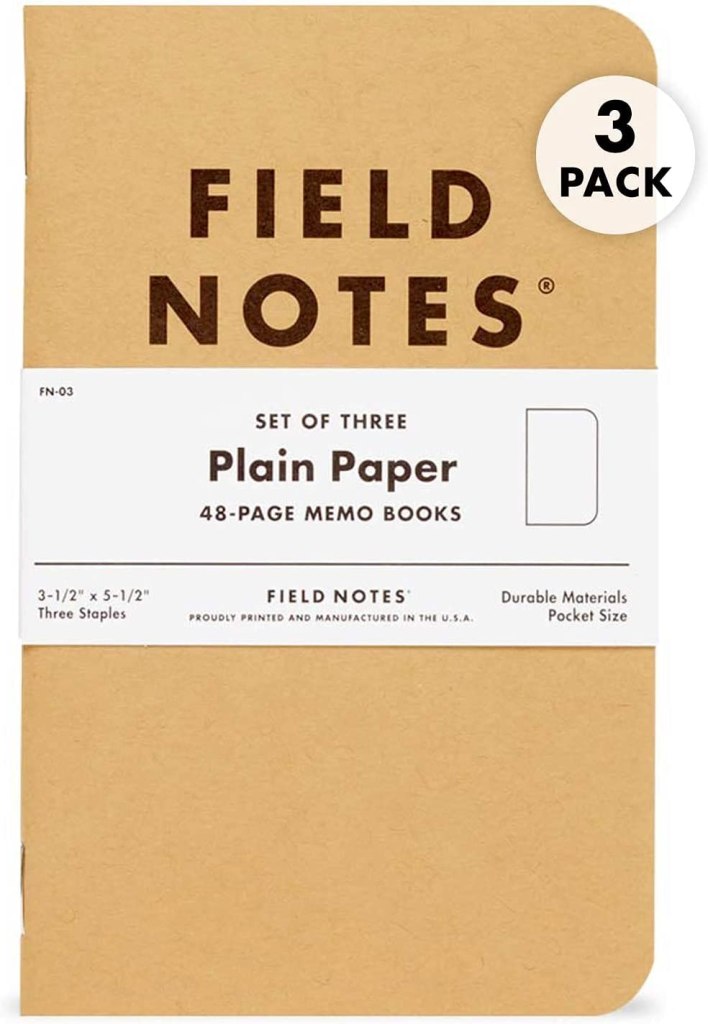
I also keep with me everywhere I go a little Field Notes notebook. I jot down random ideas, cool names or phrases I hear, gestures people make and just general observations about the world around me — a lot of that stuff makes its way into my writing. I use it almost on a daily basis and scan the pages into Obsidian (and now Bear) to keep a digital record at my fingertips whenever I need to reference something I’ve written down. It’s miraculous.
So, that about does it — pen, pencil, paper…dictation either on my phone or recorder…transcribing (either pure audio or reading a handwritten page) and boom, that’s it for tools.
Next time, we’ll go a little deeper into my note-taking process and you’ll see how things I record get into my system, are processed, and stored away in my Personal Knowledge Management system. That becomes my second brain and an invaluable reference library for when I’m editing.
As always, keep your heads down and your powder dry my friends, we live in interesting times.
Notes
[1]: Comparisonitis…it’s totally real. Where you end up comparing yourself to some other more experienced, weathly, highly productive author and feel like crap about your pathetic, half-finished, drunkenly plotted book. It’s crippling and if left untreated can lead to more serious conditions, like giving up.
[2]: Robert A. Heinlein, The Five Rules of Writing:
- You must write.
- You must finish what you start.
- You must refrain from rewriting (except to editorial demand).
- You must put it on the market.
- You must keep it on the market until sold.

 The Freeholder Press
Leave a reply to My Writing Process: The First Draft – The Freeholder Press Cancel reply