
My Writing Process Series
- Part 1: Intro
- Part 2: Tools of the Trade
- Part 3: Taking Notes
- Part 4: Plotting
- Part 5: The First Draft
- Part 6: Editing…or the Second Draft ← You Are Here
Howdy freeholders!
It’s time for another blog post in my series about how I write my writing process. Today I’m going to be discussing my editing process. So far, we’ve gone through my entire process from idea creation, to brainstorming, plotting, and writing the first draft. Some people might consider what I do next as writing the second draft, but I don’t really look at it that way.
I always considered writing the second draft to be basically re-creating the book or story. In my case, when I edit, I’m really just tweaking things and making corrections. But my editing isn’t just a one-look and you’re done kind of deal, it’s a multistep process. So I’ll go ahead and break it down. I might have to split this up into several blog posts in the quest for brevity, but just to begin, we’ll start with a rundown of how I edited in the past, and what I learned to do now.
A look at the past…
Once I’m finished writing the first draft of a book, I usually let it cook for a day or two and just sit on my computer. I need time to cleanse my mind of all the thoughts and plot lines and everything that’s been swirling around in my head for the past however many weeks or months it’s been since I started the draft.
When I first began my writing career, I didn’t do this critical step, and it took me a while to figure it out, but it really is important—at least for me.
What happened was, I would finish a story, then immediately dive into editing it, scrolling all the way back up to the first chapter. What that caused was dozens upon dozens of typos to slip through my fingers. There’s a psychological reason for this—evidently, when you’re very comfortable and immersed in a subject, the more you look over it again and again (and again), the more your brain interprets missing or misspelled words to be correct—or what it was you were attempting to write.
So I would have a sentence in my head that, say, was: “He went to the store.” The first draft might actually only say: “He went to the.”
As I read over it, going through my first editing pass, my brain would interpret what I meant to say was: “He went to the store” and insert the word as I read so I would skip right past it. I know that sounds and looks obvious, but it happened far more times than I like to admit. In fact the very first reviews of my first couple books were filled with people suggesting I get a professional editor to help.
As a still wet behind the ears writer of course, I couldn’t afford a professional editor which could cost hundreds or thousands of dollars, depending on how big your book is and how good the editor is. So I continued to struggle with typos, while also doing research on how to correct the typos what I found.
What I found was very helpful.
A simple break—even switching to a different project—worked tremendously. I would finish a book, save the file, and then walk away for a day or two. I’d go play with my kids, go fishing—do just about anything other than write, and take my mind off of the story. I didn’t look at my notes, I didn’t look at the outline, I didn’t stress over did I miss a plot hole here or did that character develop accordingly there…I watched movies, I read some books for fun, and basically tried to distract myself.
Then, after a couple days—if I was lucky, I timed this to happen over a weekend or a holiday at the kids’ school—I would come back to that first draft after a good night sleep, freshly caffeinated, and ready to go. Then, and only then, did I discover the absolute minefield of typos that riddled my work. And I gleefully slaughtered each and every one of them!
So, what did that look like?
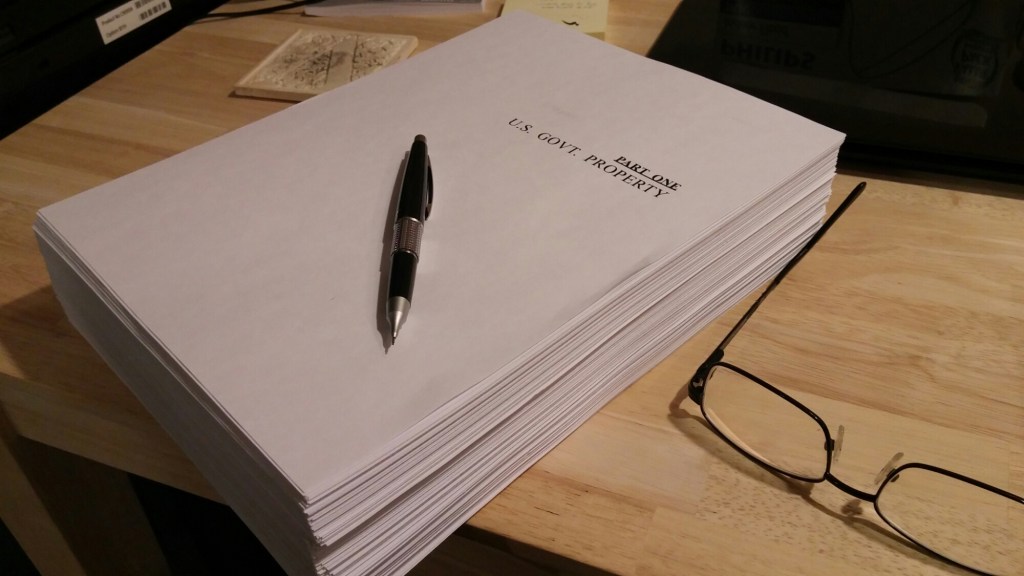
For my first five or six books, after I finished the first draft, I’d take my file to the local Kinko’s and have the book printed, single sided, double spaced. After getting back my complete book as a entire ream of paper, I’d sit down with a red pen and take a few days—sometimes up to a week—sitting in a comfortable chair with good lighting and read through the entire paper as if I was an English teacher in high school.
I scratched out mistakes, circled awkward words, and made notes to myself in the margins. Some pages were better than others, some stories were better than others, but in the end, I was left with a stack of hundreds of pages filled with notes and markings. That was my First Pass.
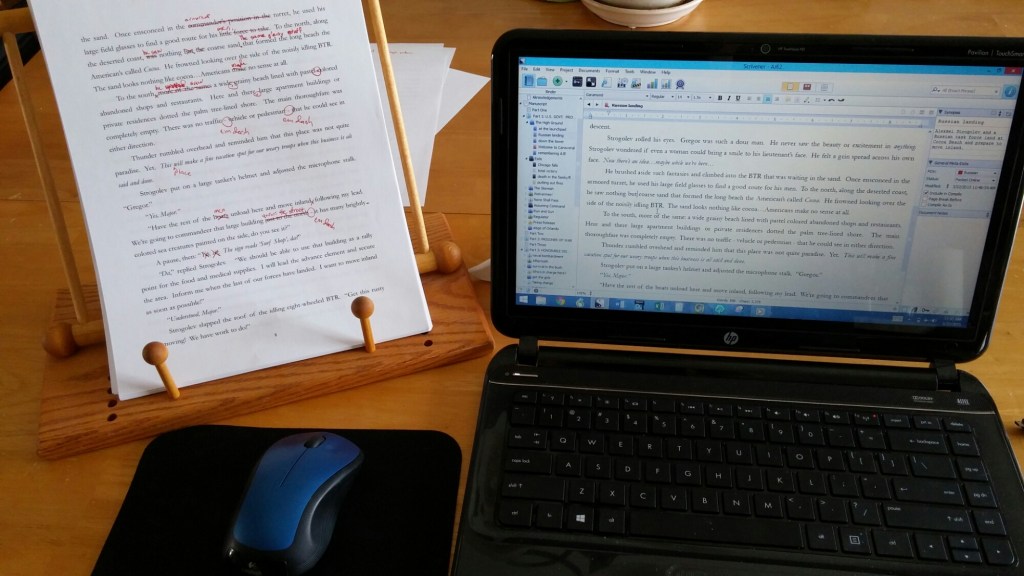
Then, I realized that not only was this expensive, it was wasteful. When I was done with the project and moved back to the computer to make all those hundreds of edits (another day or two of work, at least), I had a ream of paper sitting around that was basically only good for scrap paper. I mean, I’m all for recycling, and using the backside of hundreds of pages seem like a good idea, but after a couple books, I quickly realized that I had a lifetime of scrap paper on my hands and even my kids couldn’t run through that much!
Most of it was dumped right into the recycle bin. Part of me, the unabashedly prideful part, wanted to keep all of my edits for posterity, hoping that someone in the future might want to see how I edited my work. So, I did just that with one or two books, but the rest of it all went to the recycle bin.
About this time I purchased a used iPad Pro and an apple pencil. I found this to be not only more economical—given the number of books that I write, that iPad has more than paid for itself in printing costs—but it was also better for the environment in that I didn’t use up so much paper.
Converting my book after the first draft into a PDF, I would sit down and read through the entire thing on my iPad making just as many marks and circles and changes and notes as I did on paper, only on the digital file. This had several more benefits I came to enjoy. With the iPad, I can take the editing with me anywhere: I can slip it in a backpack and go to a park or take it on vacation and work on a plane much easier than taking a ream of paper—all of it looseleaf, by the way—and potentially losing documents and critical parts of the story wherever I went. It was a great plan, and it worked for a while. After several more books, I had another epiphany that I was still missing a lot of typos.

To this day, however, I still use this method when dealing with particularly troublesome chapters. There’s nothing like scribbling on a document for brainstorming your way out of a box with pen and paper (or digital paper). Staring at the screen and trying to type and retype something never worked well for me while brainstorming. But sitting down with the iPad and jotting down what I actually wanted to say, and working out ways to get there is a real joy.
Around this time, about 10 or so books into my library, I discovered Pro Writing Aid. I don’t know how long PWA (like Grammarly) was around before they offered a lifetime membership at a discount, but I snagged that up on a whim, and I am eternally grateful for that decision. Over the last several years, I’ve run more than 25 books through their processing system and gotten back manuscripts that were exponentially better than anything I was able to produce on my own. [1]
So what’s my method look like now? Next week I’ll dive into the details, but to whet your appetite, it’s a multi-step process:
- First pass: big picture, plot holes, etc., correcting most spelling
- Second Pass: Pro Writing Aid catches most of the grammar and spelling
- Third Pass: Word polishes the document and catches anything left
That’s it for now. Until next we meet, keep your heads down and your powder dry my friends, because things are getting more interesting by the minute it seems.
Notes
[1]: Every one of my books written with my partner Mike Kraus (the Broken Tide, Lost Sanctuary, and Ravaged Dawn series) has gone through ProWritingAid, along with the last 4 stories in the Wildfire Saga, all of Solar Storm and Elixr Plague. This list also includes the Shadow Wars series.

 The Freeholder Press
Leave a reply to My Writing Process: Editing…Part 2 – The Freeholder Press Cancel reply