

My Writing Process Series
- Part 1: Intro
- Part 2: Tools of the Trade
- Part 3: Taking Notes
- Part 4: Plotting
- Part 5: The First Draft
- Part 6: Editing…or the Second Draft
- Part 7: Editing…Part 2
- Part 8: Formatting ← You Are Here
Howdy Freeholders!
In today’s blog post, I’m going over my formatting process. It’s not nearly as complicated as the editing process or as creative as the writing process, but it is perhaps one of my favorite parts of producing a book.
Formatting…what’s the big deal?
Formatting consistently, ensures my readers get a quality experience, no matter what series I’m writing. Within the series itself, I also keep certain things consistent.
For example, in my Solar Storm series, each chapter was dedicated to an individual point of view character. Each one of those characters also had their own unique sigil. For Mac, the curmudgeonly veteran/mentor, I had drawn a USMC hat and put that as the chapter image for every one in which he was the star.
For Kate, the former Air Force and airline pilot turned transcontinental hiker, a little image of pilot’s wings accompanied each of her chapters. And so on.
However, in the Wildfire books, I switched to using the name of the main point of view character as the title of each chapter in which they were prominent. Whereas, in other series, it was just a simple chapter number.
To do all this and keep everything straight on a series by series, or even book by book (sometimes chapter by chapter) basis, I turned to the gold standard of formatting on the Apple ecosystem: Vellum.
What the #$%& is Vellum?
I know what you’re thinking—no, I don’t produce my books on vellum, the ancient version of paper and parchment.[1] I’m talking about the app designed for Macs.

It’s an elegant, smooth-running program that I first thought was entirely superfluous. I mean, I wrote a 100,000 book (dozens of them, actually), I think I’m perfectly capable of formatting my own books.
Or at least I thought I was.
Scrivener, the tool I use to actually create my stories, is a wonderfully powerful tool and is more than capable of publishing a good book. In fact, about half of my books were originally produced using Scrivener and only Scrivener. But it has a very steep learning curve that anyone who’s ever used Scrivener will quickly tell you.
At the moment, I think I use about 15% of the functionality of Scrivener, but even only using that little bit, the price of admission is more than worth the cost. I would pay for the software just for its organizational abilities—which blow Word out of the water.
It will make good-looking e-books and print books, but you have to know what you’re doing, and you have to be willing to put in the time and effort to monkey with all the intricate settings, testing over and over and over—and over—to get the result you want. If my editing process for 100,000 word book takes approximately two weeks, formatting said book in Scrivener—before I finalized my shortcuts—would take almost a week of frustration.
Once I figured out how to save all my settings and make it a one click process, however, everything was fine. But I was still left wondering: Could do better?
For the most part, I kept wondering and didn’t do anything about it, because of that aforementioned learning curve. We’re talking Mt. Everest without a sherpa steep.
I didn’t have the courage to go back and tweak my saved preset values. Every time I attempted to do so, I seem to make things worse. Despite the fact that I watched video after video on YouTube, read post after post on forums and listen to other authors as they extolled the virtues of publishing through Scrivener, I simply couldn’t get it any better than what I already had.
And yet as I read other authors’ works, I saw how nice they were formatted with different cool effects like having the first letter of the first paragraph in a chapter giant sized compared to the rest of the words on the page, etc. Little things like that that—in the overall scheme of things—don’t affect the story, but do affect the reader’s experience.
Along came Vellum, an admittedly expensive—for me—piece of software that promised to have outstanding results with just a few simple clicks of a button.[2] For a while, I ignored it and focused on making do with Scrivener, and then I started seeing more and more people talking about Vellum online. Eventually, curiosity got the better of me and I settled down for the trial.
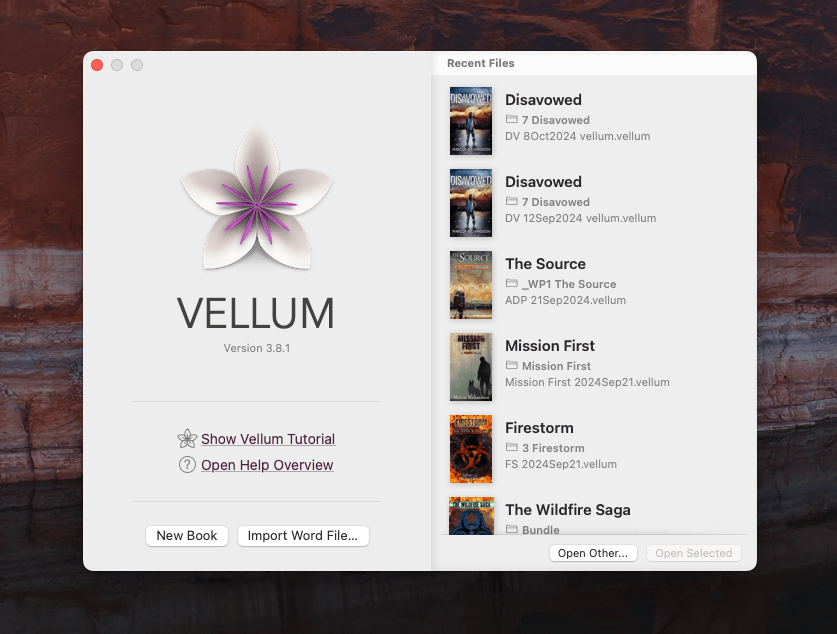
I published one book and was hooked.
Where Scrivener had taken me days, if not a week, to format a book to the point where I was happy with it, Vellum formatted it in less than 30 minutes.
Mind. Blown.
Keep in mind, y’all, this was start to finish. I imported a Word document—see the last couple blog posts here and here about editing—and pulled up some of the presets in Vellum. I tweaked how the chapter layouts looked, how the first paragraphs looked, how the numbers would appear, what order the chapters were in and what titles they would have, any pictures to be installed, etc., etc., etc.
Click, click, click—a few keystrokes for a title here, insert the cover, and…boom. Within seconds, Vellum pulled together the book and had it ready to go.
But the real genius behind Vellum was what happened when you click generate. You see, Vellum not only makes a pretty manuscript, they make it in every format you need at the same time. Vellum offers the ability to create tailored file formats for each of the major players in the e-book industry: Amazon, Apple, Google, Barnes & Noble, Kobo, and the ever-popular generic, which covers pretty much everybody else (like libraries).
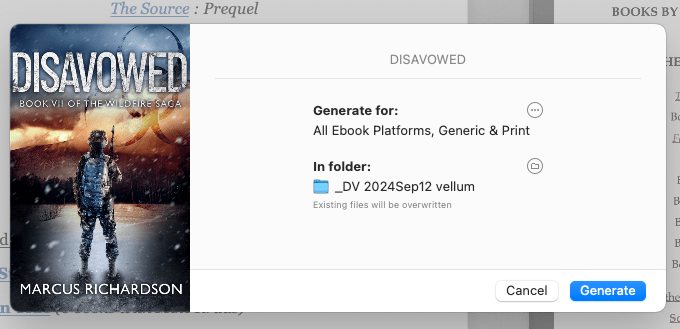
With the click of one button, and the addition of a standard cover file, Vellum will produce the e-books to the specifications needed so that the document that you produce for Amazon won’t have any errors or problems when uploaded to Kindle Direct Publishing.[3] That same document might give you problems if you try to give it to Google, but luckily, the Google Play Store has its own specifications, which Vellum happily covers.
This process takes about 15 to 20 seconds depending on how how big your book is, but in the end, you have the individual files, along with the proportioned cover images—yes, everybody wants a slightly different shape and size cover image and Vellum gives you this as well—into one folder on your computer for the book.
It’s all wrapped up in one nice neat package. If you want to make a paperback book of your manuscript, you adjust the settings a little bit and when you create all of the digital copies at once, Vellum will create your paperback book in PDF format, ready for printing—again, including cover and everything! It’s absolutely amazing how they did this, and I could not be happier.
The other big draw for Vellum is in the front and back matter. In my books, I have a copyright page, a dedication page, a page listing all of the books that I’ve written—or the series that I’ve written, since my books won’t fit on one page any longer—a call to action page, the author’s note, etc. Each one of those pages is pretty much standardized, with the exception of the call to action, which is usually specifically tailored for a particular book or series i.e., to read the next book in this series, click here. Pretty much all of these pages are the same.

Sure the copyright page has the same basic text: you’re not allowed to copy this without my express permission, blah, blah, blah, and I copyrighted it on such and such a date…everything is pretty much the same. I just have to change the date on when the book came out. But the best part about Vellum is all of these individual sections of the book are easily transferred and copied between books.
So, if I’ve created a book, let’s say Apache Dawn, for example, and I like the layout with the dedication, title page, copyright page, etc., and I want to replicate this across my other books. I open up my new book file, and then simply click and drag the individual pages or select a group of pages from the Apache Dawn into the new book. Now I have ready-made front and back matter and just need to import the Word file for the new book to publish.
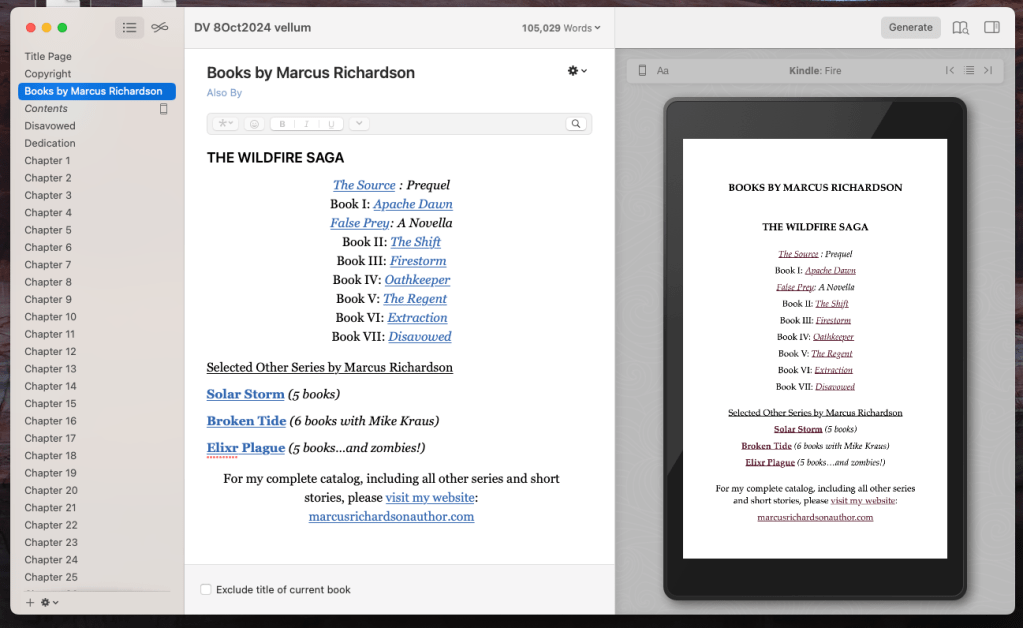
What’s even better, is that Vellum gives you the option to tailor your books by individual websites. For instance, I set up a e-shop reference in Vellum and list book links for my books from Amazon, Google, Apple, Kobo, Draft 2 Digital, etc. including my own bookstore.[4] That way, when the book is published and the reader clicks on Get the Next Book, they have the choice of picking which website they want to go to without having all that cluttering up the page. One link gives them the option to go to six or seven different places. It’s a very slick and smooth operation, and my readers love it.

I love it, because I can put in the websites once and not have to list them six different times in six different pages. It all makes for a very pleasing and easy to use experience, not only for me as the creator, but for my readers as consumers.
In short, though Vellum is definitely a little spendy—about four times the cost of Scrivener—I bought a lifetime package for Vellum, and get free updates. It is absolutely worth it! My books look better than if I’d sat down and tried to do everything in Scrivener—or, <<shudder>>, programming it myself in HTML or in Word! Vellum also saves me the cost of having to go through an actual formatter—a person who does all this for you for hire—not that I have anything against formatters, they are a critical part of the book industry, but I’m a poor starving writer, and if I can’t afford an editor, I certainly can’t afford a formatter.
However, that may change! For now though, I can’t believe how incredibly simple and efficient it is to format my books through Vellum, and I will sing Vellum’s praises till I’m blue the face blue from every rooftop. If your daily driver is a Mac and you create your books in the Apple ecosystem, I cannot highly I cannot recommend Vellum enough. Hell, even if you create in Windows, I’d rent time on a virtual Mac and install Vellum on that. And no, I’m not a paid representative of Vellum—or any of the apps that I’ve talked about on my blog. I’m just somebody who enjoys using the products, and would like to share that joy with others.
It feels like a bit of a letdown after the lengthy explanation of my editing process, but formatting books through Vellum really is that simple!
Tune in next time, when we’ll discuss how I create the covers for my books! We’re getting down to the end of the process, when I finally get to click submit and ship that book off to you, my readers!
Until then, however, keep your head down and your powder dry, for we live in interesting times.

Notes
[1]: According to https://www.historyofpaper.net, vellum was used extensively by the Romans and was so influential and useful it was used all through the Dark Ages, Middle Ages, and into the Renaissance. Gutenberg, on his famous first printing press, made his first few books available on the modern paper of the time, and vellum.
[2]: At the time of publishing this blog (October, 2024), the price of Vellum is $199.99 for unlimited digital books, and $249.99 for unlimited digital and paperback books. See https://vellum.pub/ for details.
[3]: You’ll see more on how to publish your eBook (and print) in a couple weeks! That will be the last part in this series of blog posts.
[4]: Did you know I have my own shop on PayHip? You can buy my books straight from me, which cuts out the middlemen like Amazon and Apple, who take their cut for the privilege of delivering my book to you. I make 70% royalties with them, but over 90% royalties with PayHip. If you like my books, won’t you do me a solid and buy from me? Every little bit helps, giving me more opportunity to create even more action-packed books. Thank you!

 The Freeholder Press
Leave a comment